GS1 Databar barcodes in FastReport .NET

We have added the following barcodes:
– GS1 Databar Limited;
– GS1 Databar Omnidirectional;
– GS1 Databar Stacked;
– GS1 Databar Stacked Omnidirectional.
GS1 DataBar is a highly versatile product labeling symbol primarily intended for scanning at POS terminals. GS1 DataBar is capable of encoding the GTIN (Global Trade Item Number) on small consumer products, which are difficult to label with a standard EAN-13 symbol. This is fresh (weight) produce, jewelry, or “do it yourself" products.
Data encoded with GS1 Databar Limited, GS1 Databar Omnidirectional, GS1 Databar Stacked, GS1 Databar Stacked Omnidirectional consists of an Application ID (01), a 13-bit Numeric Trade Item ID, and a Check Digit.
Note: leading digits (01) are an implied application identifier that is not to be encoded in the symbol and is displayed only as text to show that data is encoded for basic use.
The character standard is defined by ISO/IEC 24724-2011, which describes instructions for decoding barcodes.

GS1 Databar Omnidirectional barcode is designed for omnidirectional reading and can be used at POS.
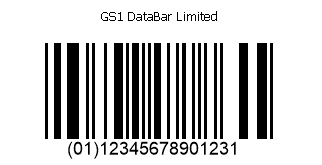
GS1 Databar Limited barcode is designed for unidirectional reading and cannot be used at POS.

GS1 Databar Stacked Omnidirectional Barcode is a GS1 Databar Omnidirectional split into two lines. It is designed for omnidirectional reading and can be used at POS.

GS1 Databar Stacked Barcode is a GS1 Databar Omnidirectional split into two lines. It is designed for unidirectional reading that cannot be used at POS.
Generating GS1 Databar Omnidirectional from code:
//Create a report object
 Report report = new Report();
 //Create a report page
 ReportPage page = new ReportPage();
 //add a unique identifier
 page.CreateUniqueName();
 //Add it to the collection of report pages
 report.Pages.Add(page);
 //Create a data band
 DataBand dataBand = new DataBand();
 //with a unique identifier
 dataBand.CreateUniqueName();
 //and add it to the band collection
 page.Bands.Add(dataBand);
 //Create a barcode object
 FastReport.Barcode.BarcodeObject barcode = new FastReport.Barcode.BarcodeObject();
 //Set the barcode type
 barcode.Barcode = new FastReport.Barcode.BarcodeGS1Omnidirectional();
 //Set a numeric combination for encoding
 barcode.Text = "1234567890123";
 //Place the barcode on the page
 barcode.Parent = dataBand;
 //Set the size of the object
 barcode.Bounds = new RectangleF(0, 0, Units.Centimeters * 10, Units.Centimeters * 3);
 //Display the report
 report.Show();
These barcodes allow users to encode the required product data and use it for various purposes.
