Interactive forms in PDF export Fast Report .Net 2018
It's no secret that the PDF standard allows you to create fillable forms. That is, the finished document can be edited directly from the viewer. Most often this is used for questionnaires and various forms. The user fills in the fields and sends the document by email or prints it.
In the new version of FastReport.Net, you can export reports to PDF format with the support of interactive forms. In the export settings, the corresponding option was added:
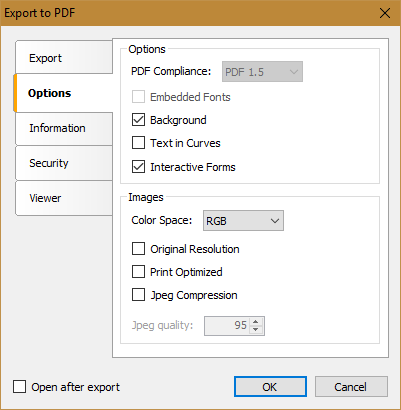
Enabling the option Interactive Forms imposes a number of restrictions - PDF can not contain embedded fonts, it can not have the standard PDF/A and PDF/X.
To implement export with interactive forms, a new feature was added - editable text and checkbox fields in the report preview mode. Actually, now the report, in the preview mode, is an interactive fill form.
Text and CheckBox objects have a new property - Editable. If it has the value “true”, the objects can be edited. Let's see how it looks like:
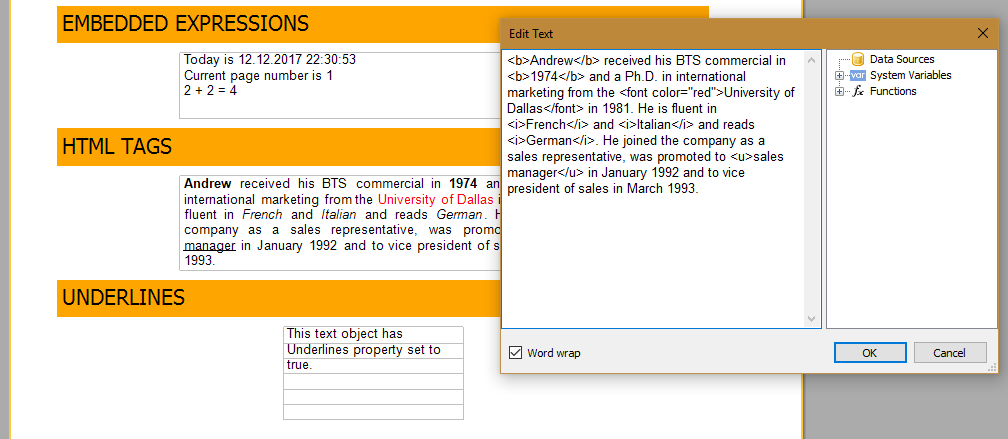
We click on a text object with the Editable property turned on and get a text editing window. For the ChechekBox object, we can check the box or uncheck it:

Interactive Forms are in the demonstrative reports FastReport. Let's export it to PDF. Make sure that the Interactive Forms option is enabled in the export settings.
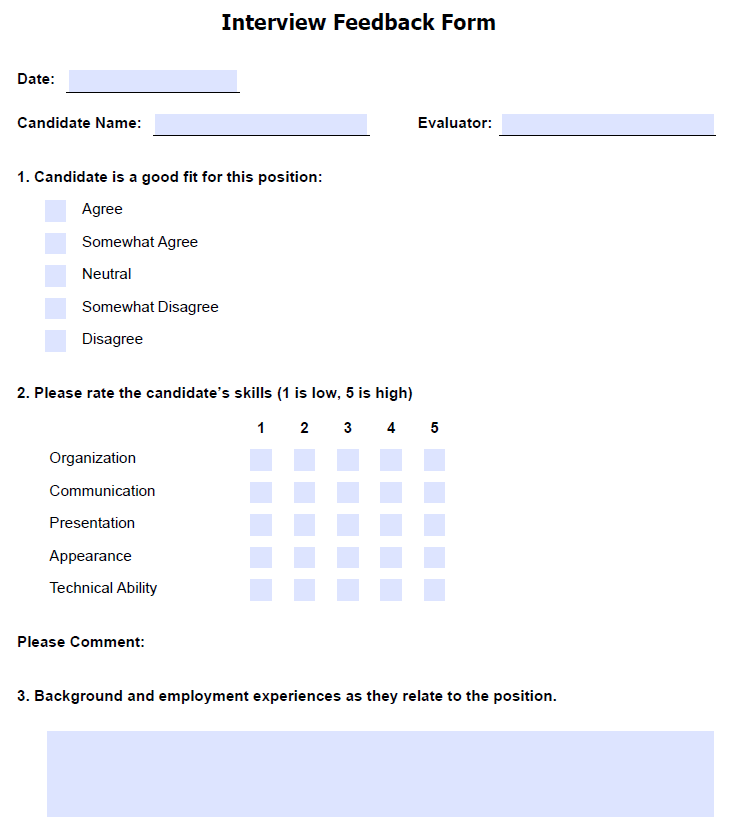
The prepared document has fields that can be edited. Fill them in:
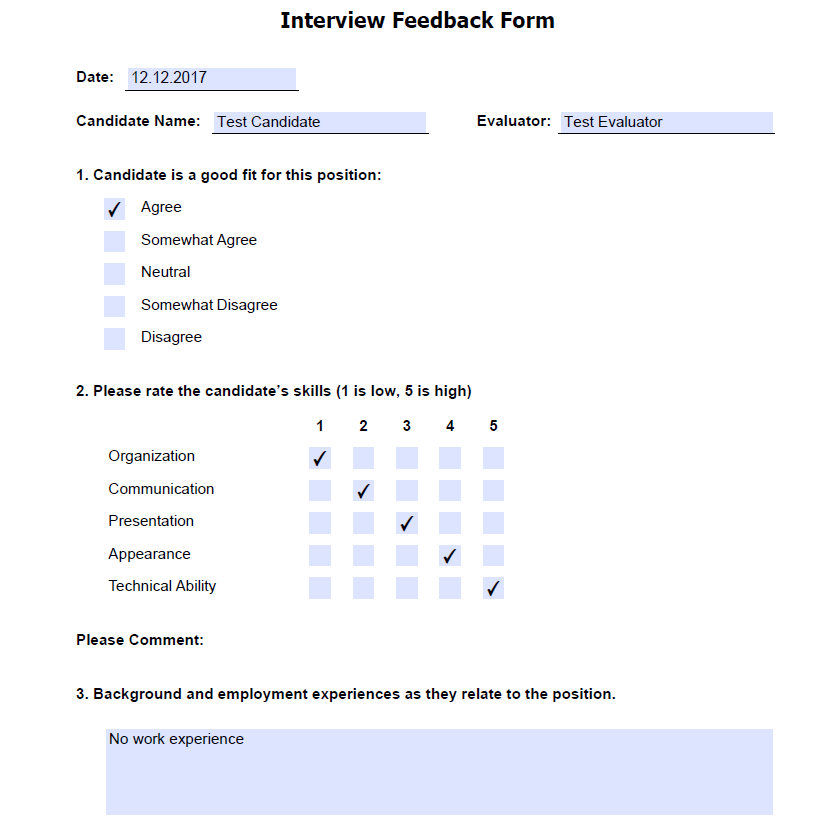
Now you can save the file with changes.
Thus, the function of editing a report in the preview mode can be used for forms and questionnaires. You can save the report in the .fpx format and distribute it. Users will fill in the report like PDF forms.
Or you immediately export the report to PDF format and also distribute the file.
