Improved interface of the report tree in the FastReport designer

2021-09-05

We have improved report and data trees in the FastReport .NET and Mono designer at the request of users. Buttons have been added, which allow to minimize and to expand these trees. The fields for searching tree elements have also been added.

This example shows how to minimize and expand report trees with their contents. Both cases show what happens after pressing the -/+ buttons and demonstrate that the entire list is fully expanded.

New buttons in the report and data tree

The picture below shows how the search works. As an example, we will write the ToLetter function. The entire tree is expanded after clearing the search for the X button.
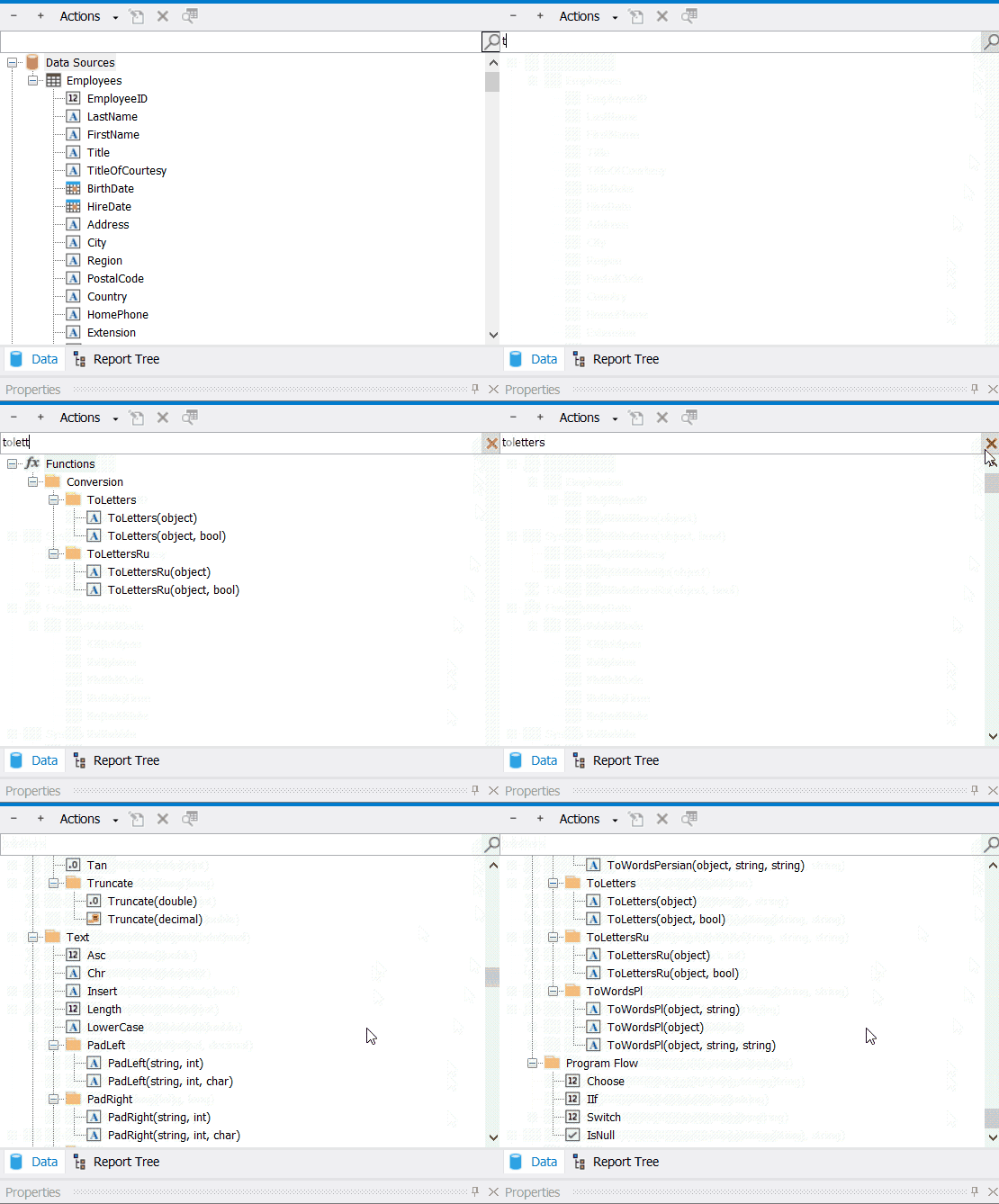
Search of items in Data Tree

These changes will simplify the work with reports with many items or data sources. The possibility to expand the tree will allow to quickly view the structure of the report and data. The search for tree elements in the designer makes it easier to find an already known element.

.NET .NET Mono Mono FastReport FastReport Designer Designer
October 26, 2026

Progress Bar in Delphi: The TfrProgressBar and TfrxProgressBar Components from FastReport VCL

Let’s take a closer look at the TfrProgressBar and TfrxProgressBar components from FastReport VCL: configuring the progress scale, thresholds and markers, binding to data, and a Delphi example.
October 26, 2026

TfrImageComboBox: A drop-down list with images and text captions in FastReport VCL

TfrImageComboBox from FastEditors VCL: a drop-down list with icons and labels for FastReport VCL. Properties, events, and usage examples in Delphi.
October 23, 2026

FastGrid from the Inside: The View Object, Columns, and Events of the Delphi Grid Component

FastGrid’s internal structure: the View object, the Appearance property, columns, events, and the DB and Unbound data modes in Delphi. Analysis using the GridDemo.dpr demo project as an example.

© 1998-2026 Fast Reports Inc.