How to use the FastReport.Core library from nuget
UPD: Applies to the versions of FastReport .NET before 2022.2. License packages are now available on our NuGet server.
One of the innovations of FastReport .NET 2018 was the ability to use NuGet packets FastReport. To install the packages, it was necessary to create a local package source and place the compiled FastReport libraries in it. This mechanism is preserved for licensed packages, but demonstration versions are now available in the general NuGet repository:
https://www.nuget.org/profiles/FastReports
Let's look at the example. Create a .NET Core application. Call the context menu for the solution and select the item Manage NuGet Packages.
Choose Packages source - nuget.org. In the search bar type FastReport.
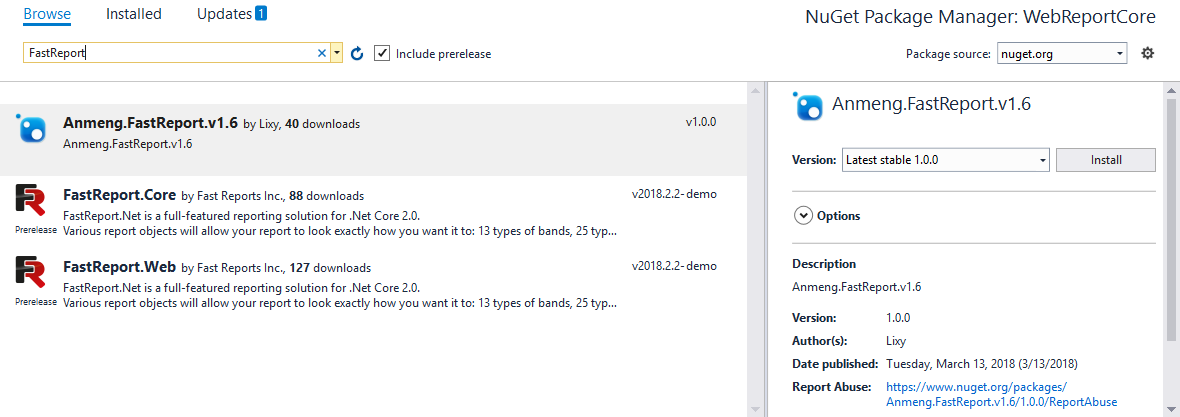
You need to install both packages: FastReport.Core и FastReport.Web.
The first is the actual FastReport library for the .Net Core framework. And the second one is a WebReport object that allows you to display the report and manage it in the browser.
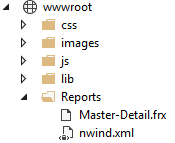
To display the report in the application, we need a report file. And since the report works with the database, then the database file do so. Let's take from the delivery of FastReport.Net the Master-Detail.frx report template and the nwind.xml database file. Put them in the Reports folder, which you must first create in the root directory of wwwroot:
Open the class HomeController.
We need an interface IHostEnviroment, with which you can get information about the environment. Specifically, we need the WebRootPath property to specify the path to the report file and the database. Therefore, we add a constructor of a class that takes as an argument the interface of interest to us.
1 2 3 4 5 |
private readonly IHostingEnvironment _hostingEnvironment; public HomeController(IHostingEnvironment hostingEnvironment) { _hostingEnvironment = hostingEnvironment; } |
And in the Index method, write the following code:
1 2 3 4 5 6 7 8 9 10 11 |
public IActionResult Index() { string webRootPath = _hostingEnvironment.WebRootPath; // Get the path to the wwwroot folder WebReport webReport = new WebReport(); // Create a Web Report Object webReport.Report.Load(webRootPath + "/reports/Master-Detail.frx"); // Load the report into the WebReport object var dataSet = new DataSet(); // Create a data source dataSet.ReadXml(webRootPath + "/reports/nwind.xml"); // Open the xml database webReport.Report.RegisterData(dataSet, "NorthWind"); // Register the data source in the report ViewBag.WebReport = webReport; return View(); } |
To display a WebReport object on a web page, change the Index.cshtml view as follows:
1 2 3 4 |
@{ ViewData["Title"] = "Home Page"; } @await ViewBag.WebReport.Render(); |
In the file Startup.cs you also need to make changes - add only one line of code:
1 2 3 4 5 |
public void Configure(IApplicationBuilder app, IHostingEnvironment env) { app.UseFastReport(); … } |
Now run the application:
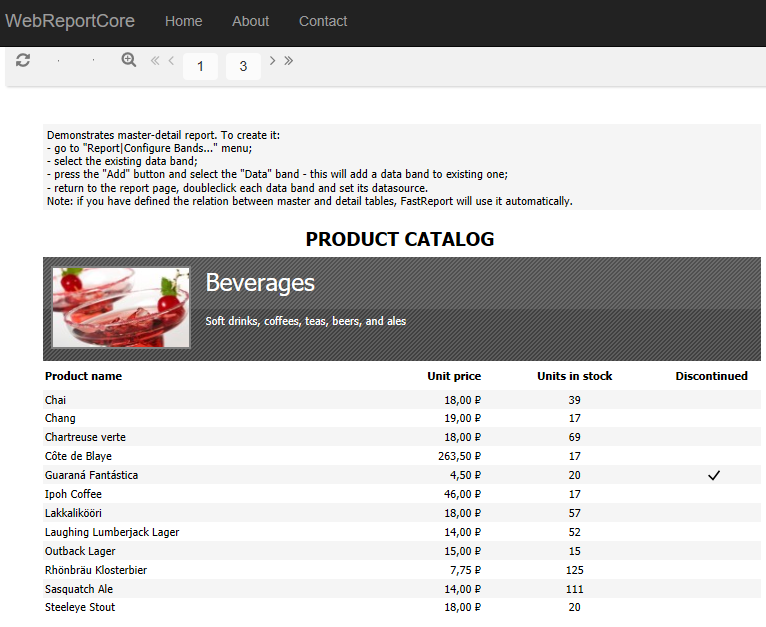
Usege of FastReport.Core is now even easier. However, licensed packages still have to be installed from a local source. Configuring the local source of NuGet packages takes you no more than a minute of time.
